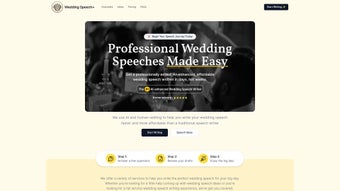

Download Wedding Speech – AI-Powered Wedding Speechwriting Tool
Overview
Wedding Speech is an AI‑driven platform designed to take the stress out of crafting a memorable wedding toast. Whether you’re the best man, maid of honor, parent of the bride, or a close friend, this tool walks you through a simple questionnaire, translates your answers into a polished draft, and lets you fine‑tune the result with human‑level editing features. The service offers several tiers—from a quick idea generator to a full‑service speech writing package that includes multiple revisions and even an audio preview of the final delivery.
While it currently supports only English, its affordability, speed, and personalized approach make it a standout option for couples and speakers who want a professional‑quality speech without hiring a costly speechwriter. The interface is clean, the AI models are trained on thousands of real wedding speeches, and the platform guarantees a secure, private environment for your personal anecdotes. In short, Wedding Speech blends the creativity of artificial intelligence with the nuance of human editing to deliver a ready‑to‑deliver script that feels authentic, heartfelt, and perfectly suited to the tone of any wedding ceremony.
Key Features of Wedding Speech
- AI‑Powered Draft Generation – Answer a short set of prompts and receive a fully structured speech in seconds.
- Human Editing Layer – Professional editors review and polish the AI draft for tone, flow, and originality.
- Multiple Service Levels – Choose from “Idea Spark,” “Draft Builder,” or “Full Speech Package” with unlimited revisions.
- Audio Preview – Hear a realistic voice‑over of your final speech to practice timing and delivery.
- Customizable Templates – Tailor the speech for various roles (best man, father of the bride, etc.) and wedding styles (formal, casual, themed).
- Secure Cloud Storage – All drafts are encrypted and stored safely, ensuring privacy for personal stories.
- One‑Click Export – Download the final speech as a PDF, Word document, or plain text for easy printing.
- Progress Tracker – Visual timeline shows where you are in the writing process, from brainstorming to final approval.
- Affordability – Competitive pricing with a free trial version that lets you generate a short sample speech.
- Responsive Support – Live chat and email assistance available during business hours for any questions.
The combination of these features means users can move from a blank page to a confidence‑boosting, rehearsed speech in under an hour. The AI engine is trained on a diverse dataset of wedding speeches, jokes, anecdotes, and cultural references, ensuring the output feels genuine rather than generic. Meanwhile, the human editors add the subtle touches—like pacing, humor timing, and emotional beats—that make a speech truly unforgettable. The audio preview is especially valuable for speakers who want to practice their cadence and ensure the speech fits within typical wedding timelines (usually 3‑5 minutes). Finally, the secure cloud storage guarantees that sensitive family stories stay private, a critical concern for many users.
Installation & Usage Guide
Getting started with Wedding Speech is straightforward and requires no complex setup. Follow these steps to download, install, and create your first speech:
- Visit the Official Site: Navigate to weddingspeech.ai and click the “Download” button that matches your device—Windows, macOS, Android, or iOS.
- Create an Account: Sign up with your email address or use a Google/Apple single sign‑on. A verification email will be sent to confirm your identity.
- Choose a Service Tier: After logging in, you’ll see the three service levels. For a first‑time user, the “Idea Spark” free tier is ideal to test the AI engine.
- Answer the Prompt Questionnaire: The platform asks a series of 8‑10 questions about your relationship to the couple, tone preferences (humorous, sentimental, formal), and any specific stories you want to include.
- Generate the Draft: Click “Generate Draft.” Within 30 seconds, an AI‑crafted speech appears on your screen, complete with headings and placeholders for personal anecdotes.
- Human Review (Optional): If you selected a paid tier, a professional editor will review the draft, suggest improvements, and return a refined version within 24‑48 hours.
- Customize & Polish: Use the built‑in editor to adjust phrasing, insert additional jokes, or reorder sections. The live preview shows word count and estimated speaking time.
- Audio Preview: Click “Listen” to hear a natural‑sounding voice read your speech. Adjust pacing or re‑record sections if needed.
- Export & Save: When satisfied, download the speech as a PDF or Word file. You can also save it to the cloud for future edits.
- Practice: Print the final version, rehearse in front of a mirror, or record yourself to build confidence before the big day.
Installation itself is a one‑click process: the Windows and macOS installers guide you through standard acceptance of terms and location selection, while mobile users simply add the app from the Microsoft Store, Apple App Store, or Google Play Store. Updates are delivered automatically, ensuring you always have the latest AI model and security patches. The intuitive UI means even non‑tech‑savvy users can navigate the platform without a steep learning curve, making Wedding Speech a truly accessible solution for anyone looking to deliver a flawless wedding toast.
Compatibility, Pros & Cons
Wedding Speech is a cross‑platform solution, available for Windows 10/11, macOS 10.15 and later, Android 8.0+, and iOS 13+. The web‑based version works in any modern browser (Chrome, Edge, Safari, Firefox), giving you flexibility to write from a laptop, tablet, or smartphone. Because the core AI processing runs on secure cloud servers, local hardware requirements are minimal—only an internet connection and a basic device are needed. This makes the tool ideal for users who travel frequently or who prefer to work on the go.
Pros
- Fast AI draft generation saves hours of brainstorming.
- Human editor option guarantees a polished, natural tone.
- Audio preview helps with pacing and confidence building.
- Multiple pricing tiers accommodate different budgets.
- Secure cloud storage protects personal anecdotes.
- Responsive customer support for quick issue resolution.
Cons
- Currently supports English only; no multilingual options.
- No real‑time collaborative editing for teams.
- Free tier offers limited customization and no human review.
- Requires an internet connection for AI processing.
- Audio preview uses a synthetic voice that may not match your speaking style.
Overall, the strengths of Wedding Speech far outweigh its limitations, especially for users who value speed, affordability, and a personalized touch. The lack of multilingual support may be a drawback for multicultural weddings, but the roadmap hints at future language expansions. Real‑time collaboration is a feature many SaaS tools offer, yet the platform compensates with a robust human‑editing pipeline that delivers a final product you can trust. For anyone seeking a reliable, secure, and AI‑enhanced speechwriting solution, Wedding Speech stands out as a top contender in the wedding tech space.
FAQ & Final Thoughts
-
Is Wedding Speech safe for sharing personal stories?
Yes. All data entered into the platform is encrypted both in transit and at rest. Drafts are stored on secure cloud servers and are never shared with third parties without your explicit permission.
-
Can I get a refund if I’m not satisfied with the final speech?
Wedding Speech offers a 7‑day money‑back guarantee for all paid plans. If the delivered speech does not meet your expectations, you can request a full refund within this window.
-
How long does the human‑editing service take?
Standard human editing is completed within 24‑48 hours after you submit the AI draft. Expedited editing (for an additional fee) can be delivered in as little as 8 hours.
-
Do I need a powerful computer to run Wedding Speech?
No. Because the AI processing happens on remote servers, any device that can run a modern web browser or the lightweight desktop app will work perfectly.
-
Can I edit the speech after I’ve downloaded the final version?
Absolutely. Once you download the PDF or Word file, you can make any additional changes locally. The platform also lets you reopen the project later for further tweaks before the wedding day.
Conclusion – Why Download Wedding Speech Today?
Crafting a wedding speech should be a joyful part of the celebration, not a source of anxiety. Wedding Speech removes the guesswork by blending cutting‑edge AI with seasoned human editors, delivering a script that feels both personal and professionally polished. The fast turnaround, secure cloud storage, and flexible pricing make it accessible for anyone—from nervous best men to seasoned speakers looking for fresh inspiration.
While it currently supports only English and lacks real‑time collaboration, the tool’s core strengths—speed, affordability, and quality—position it as a must‑have app for modern wedding planning. Download Wedding Speech now, try the free “Idea Spark” tier, and experience how effortless a perfect toast can be. With a 7‑day satisfaction guarantee and a suite of features designed to guide you from first idea to final rehearsal, there’s no reason to let writer’s block steal the spotlight on your big day.
Wedding Speech delivers a seamless blend of AI efficiency and human warmth, making it the go‑to tool for anyone who wants a heartfelt, polished wedding toast without the stress.



.png)



